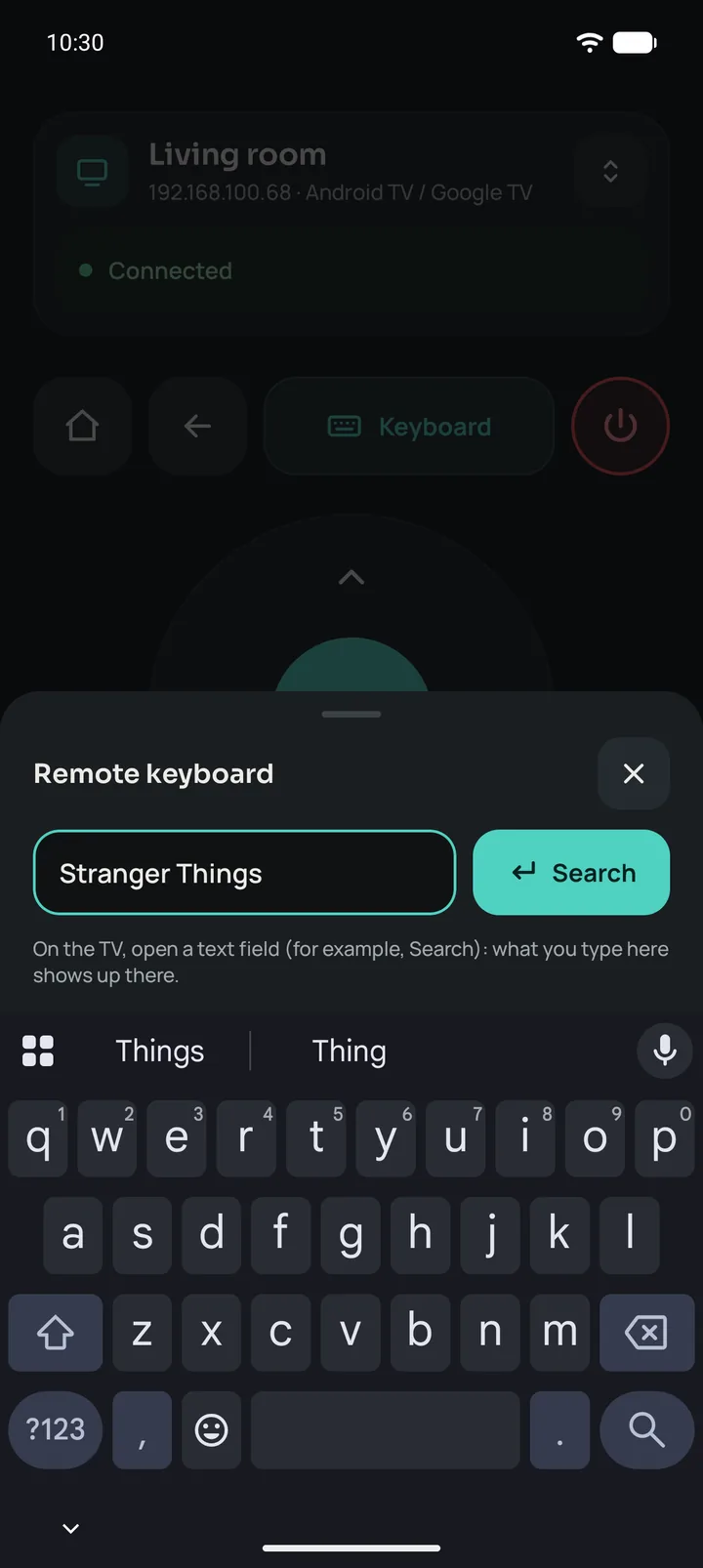
A real keyboard
Type searches, emails and passwords from your phone. You see what the TV’s field already says, and passwords stay hidden until you choose to show them.
Universal remote for Android
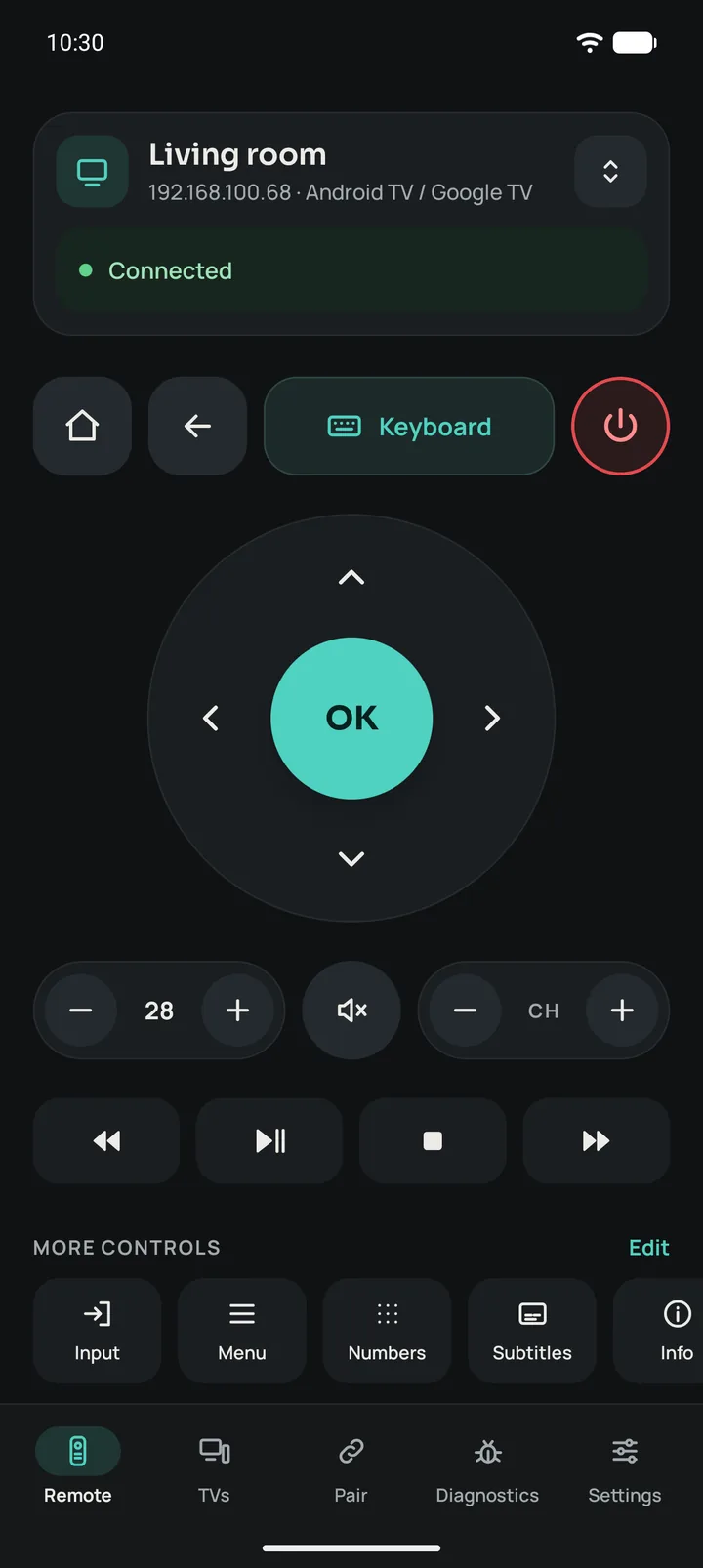
Remotito turns your phone into the remote for your Google TV, Android TV and LG over Wi-Fi, and for almost any other TV over infrared. With a real keyboard, no accounts and no ads.
For Android 8.0 or later · English, Español and Português
Compatibility
Over Wi-Fi with the most common smart TVs, and over infrared with almost all the rest, smart or not.
Sony, TCL, Philips, Xiaomi and many more. Pair once with the code your TV shows and get full control, keyboard and volume.
Accept the connection once on the TV and Remotito remembers it. D-pad, volume, channels and keyboard.
If your phone has an infrared blaster, like many Xiaomi, Redmi and POCO phones, Remotito controls 631 brands, even TVs that aren’t smart. It can turn them on, too.
Features
Made for everyday use: big, fast and simple.
Type searches, emails and passwords from your phone. You see what the TV’s field already says, and passwords stay hidden until you choose to show them.
The whole wheel responds, just like a real remote. It vibrates on touch and repeats while you hold it.
Turn it up or down without looking, and see the TV’s volume level in the app.
If it’s on your Wi-Fi, it just shows up. No IP addresses, no setup.
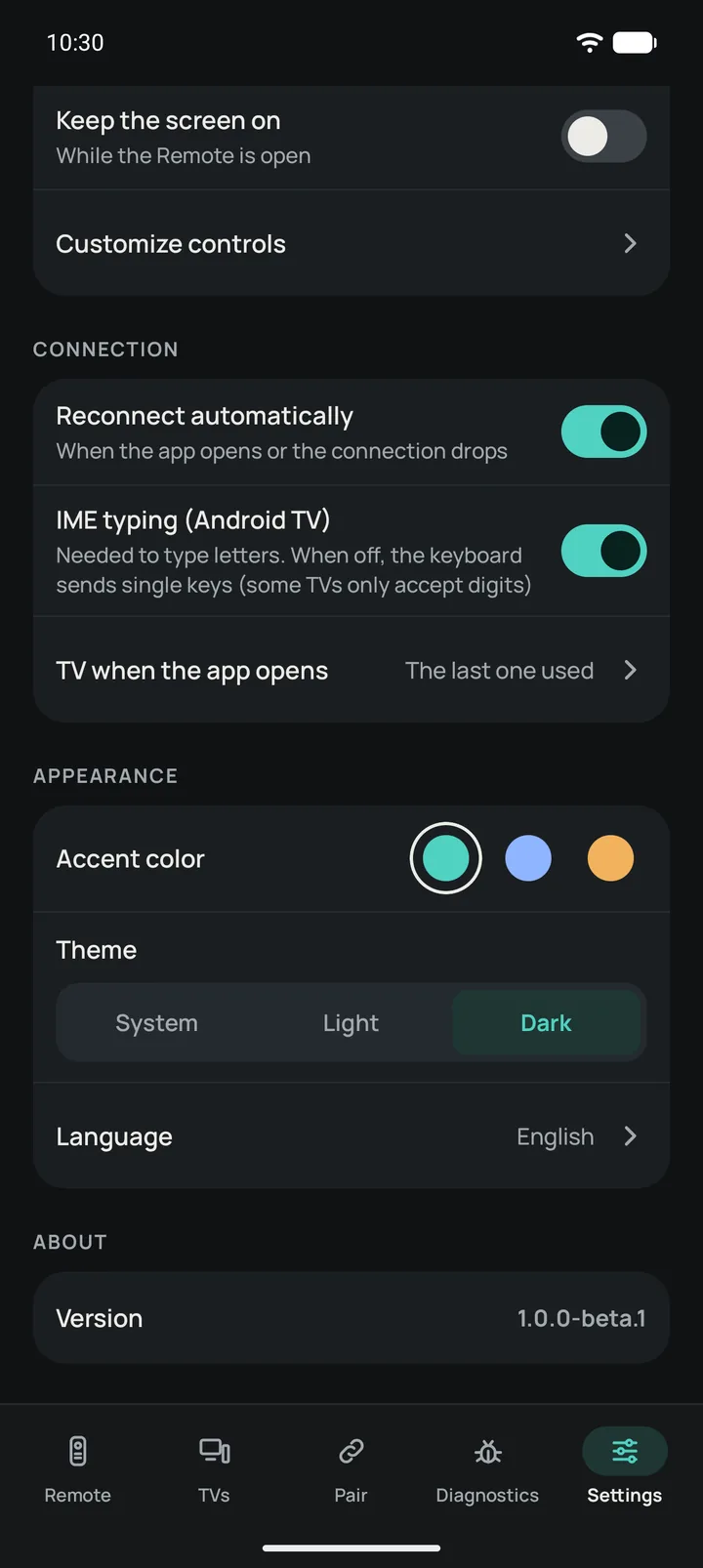
If the Wi-Fi drops or you reopen the app, it picks the connection back up on its own.
Living room, bedroom, office: save them all and switch with one tap.
Light or dark theme, three colors and the extra buttons you pick, in the order you want.
No accounts, no ads, no tracking. Everything stays between your phone and your TV.
Automatic search
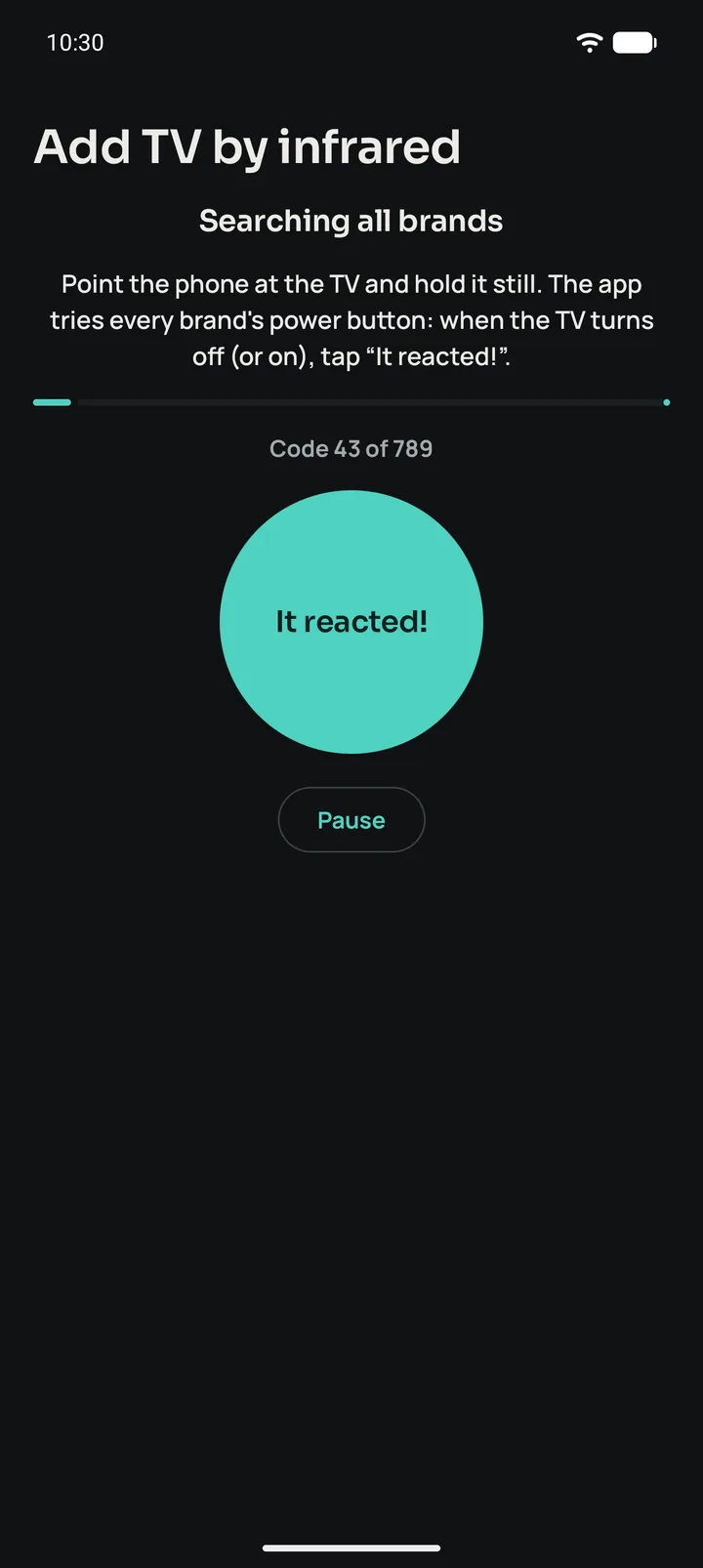
Many regional TV brands are built on another brand’s chassis, with the same codes. Remotito tries all 789 power codes of every brand, one by one, most used first, until it finds yours.
of the remotes in the database are covered by the first 100 codes: about two and a half minutes.
Getting started
From Google Play, on any phone with Android 8.0 or later.
TVs on your Wi-Fi show up by themselves. For infrared, pick the brand or let Remotito search for it.
Google TV shows you a code, LG asks you to accept, and over infrared you test one button. Just once.
The app
Real Remotito screenshots, in the dark theme.
FAQ
No. Over Wi-Fi, your phone and TV must be on the same network, but nothing goes out to the internet. Over infrared, no network is needed at all.
Look for a small dark window on the top edge: it’s common on Xiaomi, Redmi and POCO phones. Remotito detects it and, if there is one, offers “Add TV by infrared”.
Over infrared, yes: the database has 62 Samsung remotes. Wi-Fi support for Samsung is on the way.
Use “Search all brands”: many regional brands use another brand’s codes, and Remotito tries them all for you.
No. Remotito is for phones with Android 8.0 or later.
None. There are no accounts and no servers: your TVs and settings stay on your phone. The details are in the privacy policy.
With Remotito, your remote is always in your pocket.